
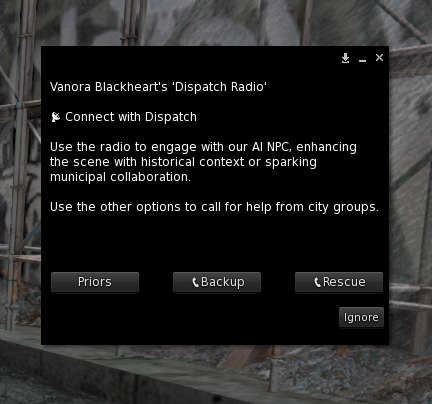
The radio button on your Field HUD reaches the department’s dispatcher, an NPC voice on the other end of the line. Ask her for a suspect’s priors, call for backup, or call rescue.
The two-post rule
The radio follows the same rule as any radio. One post to take it, a second to speak, so anyone close enough has the chance to stop you. The dispatcher doesn’t know the post order and answers the moment you submit. Submit only with your second post, and only if nobody stopped you.
Priors
Priors runs a background check. Enter the suspect’s full account name, their legacy name. If they have no last name, use Resident.
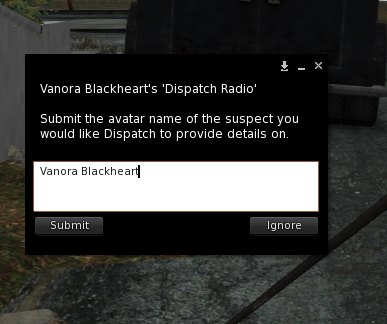
Submit before the box times out, and the dispatcher reviews past reports, APBs and warrants and sums up the suspect’s criminal background in local chat.
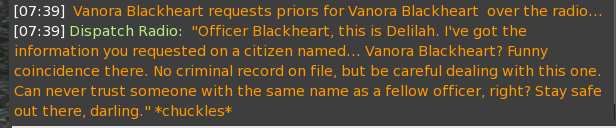
She answers in open chat, so anyone in range sees it too.
Sometimes the priors won’t match a character’s story, when a player restarted their character, for instance. One easy fix is to play it as the department’s data being wrong. The suspect may ask you to ignore it. Be courteous, talk it through, and adjust your roleplay if you need to.
Backup
Choose backup and write your call. Keep it short and in direct speech, as if you are talking into the radio. The people on the other end can’t see what you are doing, so skip lines like “smelling the daisies as she finally pressed her radio.” The more you type, the more confusing it gets.
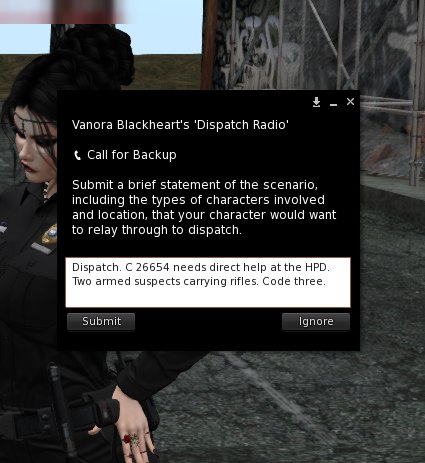
Submit, and the dispatcher posts your call into the Municipal group and into local chat for you, so you don’t post it yourself. If people think you double-posted, explain that this is how the radio works.
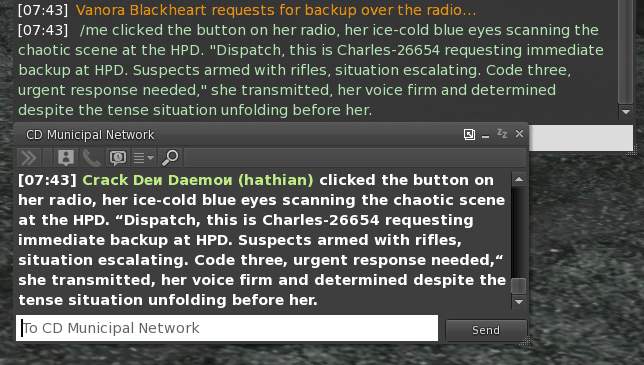
Then hope your fellow officers show up.
Rescue
Rescue works the same way, sending your call to the city’s emergency services over the Municipal channel.
Back at the station, the terminal handles fines, bail and warrants. The Station Terminal is next.